AI agent failures are rarely explained by the final response alone. A run may contain a slow tool call, a malformed result, an unnecessary retry, or a reasoning branch that sent the agent in the wrong direction. The goal of trace debugging is to reconstruct the execution and find the earliest event that changed the outcome.
1. Start with the run outcome
Record what “wrong” means before opening individual events. Was the answer incorrect, incomplete, too slow, too expensive, or missing a required tool action? This gives you a hypothesis to test instead of turning the trace into an unstructured search.
- Save the input, expected behavior, and actual outcome.
- Note whether the failure is deterministic or intermittent.
- Identify the first user-visible symptom: wrong tool, timeout, bad citation, or incomplete response.
2. Read the execution timeline
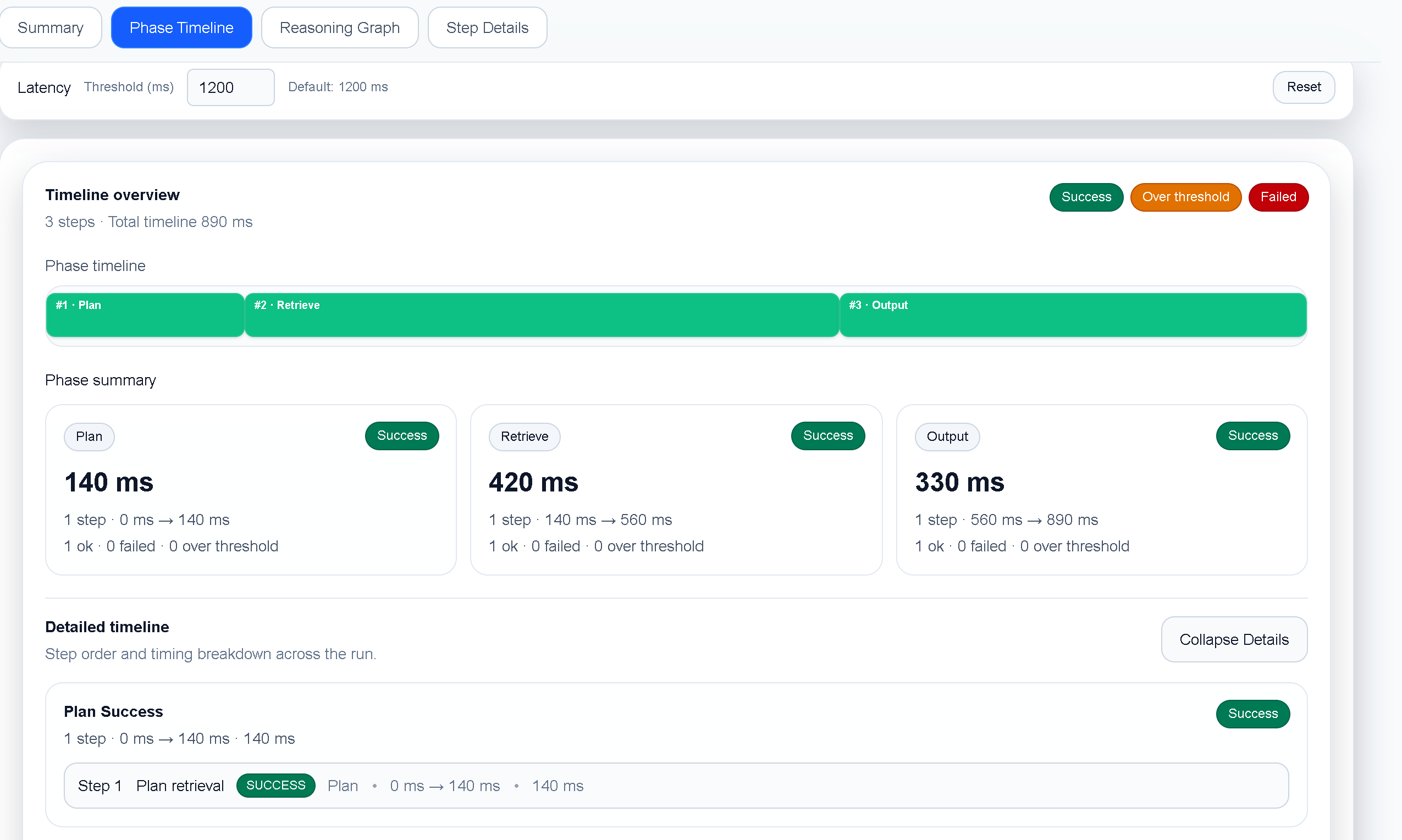
Next, scan the trace from start to finish. Look for the first unusual duration, retry, empty result, or branch that does not appear in a known-good run. Timing matters because a run can fail after an earlier latency problem has already consumed the available budget.
3. Inspect the failing step in context
Expand the step that appears closest to the first divergence. Compare its input and output with the surrounding steps. For a tool call, inspect the arguments, returned payload, status, and whether the next reasoning step used the result correctly.
Common patterns to check
- Tool contract mismatch: the agent sends a valid-looking request that does not match the tool’s expected schema.
- Empty or partial result: the next step assumes data exists when the tool returned nothing useful.
- Retry amplification: a recoverable error causes repeated calls that consume time and tokens.
- Context drift: a long run causes the agent to lose the constraint that mattered earlier.
4. Use the reasoning view to test your hypothesis
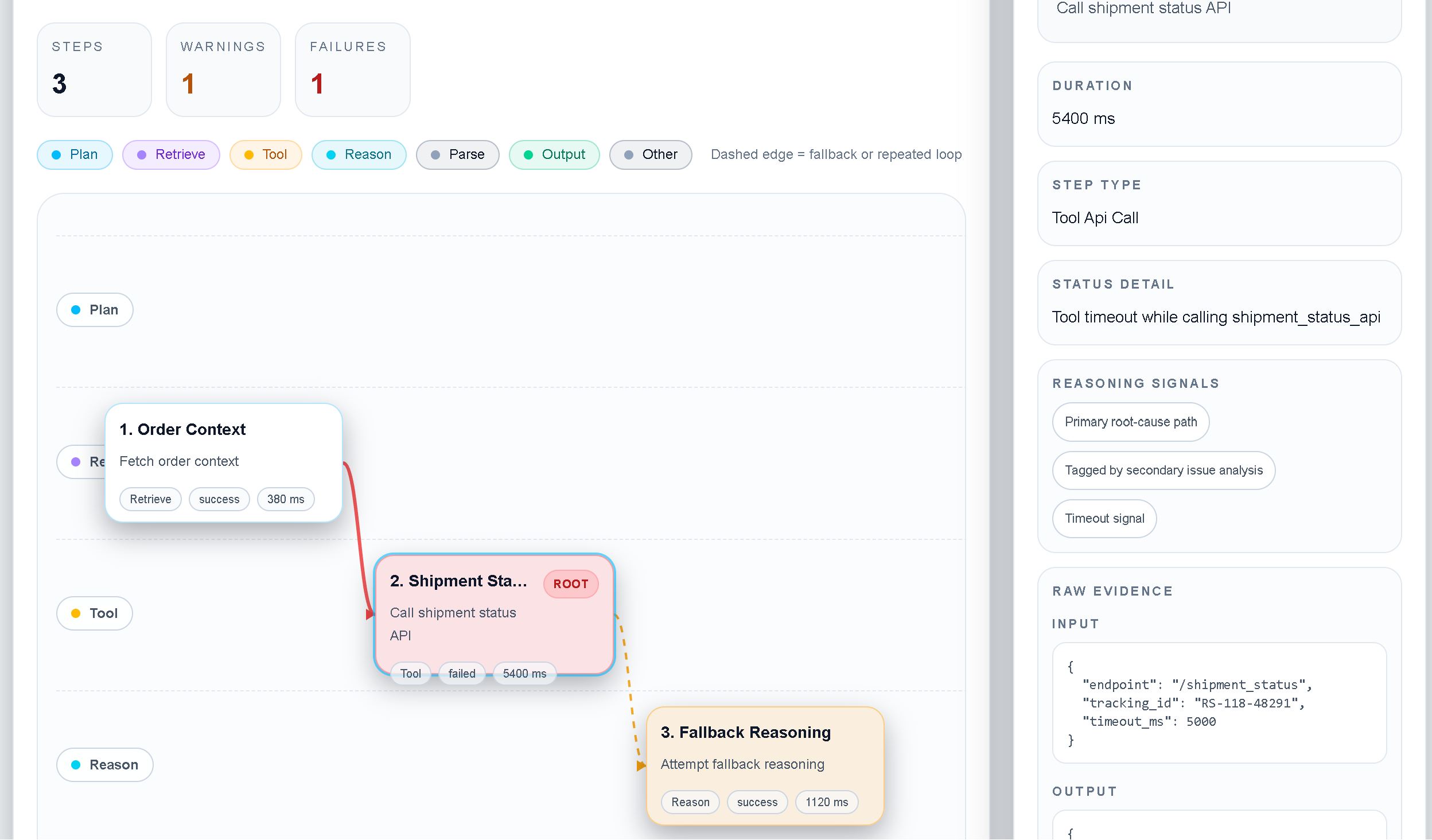
A timeline shows when something happened; a reasoning view helps explain why the agent moved to the next step. Follow the branch from the relevant observation to the decision that followed it. Ask whether the decision was justified by the available evidence or whether the agent inferred something that was not present.
5. Compare with a known-good run
Once you have a hypothesis, compare the failing run with a successful run using the same task. The first difference is often more valuable than the final error message. Check model output, tool arguments, ordering, retries, and elapsed time.
- Choose a successful baseline with the same goal.
- Find the first step where the event sequence or output differs.
- Change one variable—prompt, tool, model, timeout, or orchestration logic.
- Run the test again and confirm that the difference moved in the expected direction.
6. Write the fix as a testable change
Finish the investigation with a small statement that another engineer can verify: “When the search tool returns no matches, the agent should ask for clarification instead of retrying three times.” This turns trace analysis into an engineering change rather than a one-off explanation.