Choose a baseline
Start with a run that produced the expected result, then select the run you need to investigate.
When one run succeeds and the next one fails, side-by-side comparison helps you move from “something changed” to a specific difference you can test.
TraceProbe lets you compare runs across outcome, timing, steps, tool activity, and execution details. Use the successful run as a baseline and inspect where the failed run diverged.
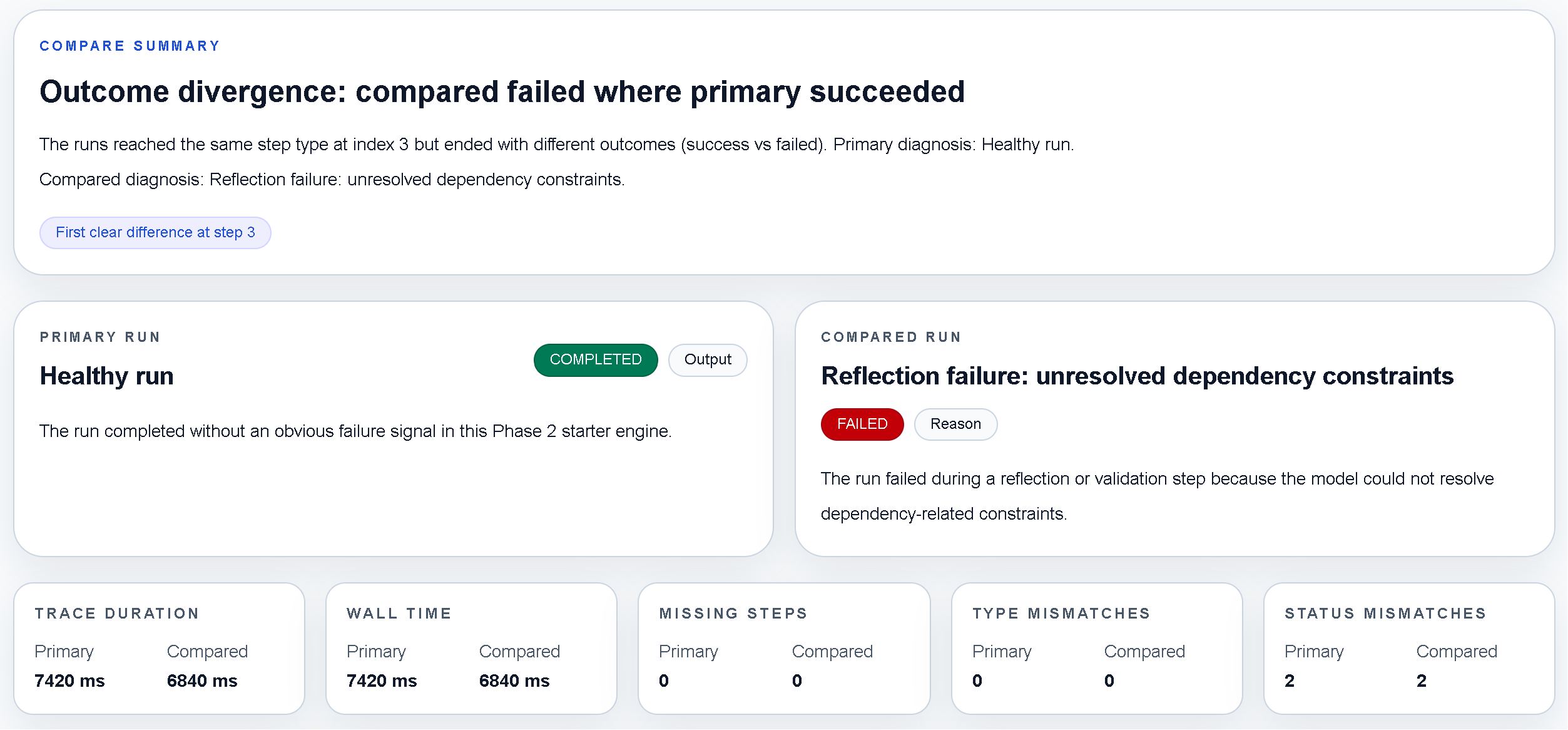
Use comparison after prompt, model, tool, or orchestration changes.
Start with a run that produced the expected result, then select the run you need to investigate.
Compare the sequence and timing to find the earliest meaningful difference rather than chasing the final error.
Run the experiment again and compare the new execution to confirm that the change improved behavior.
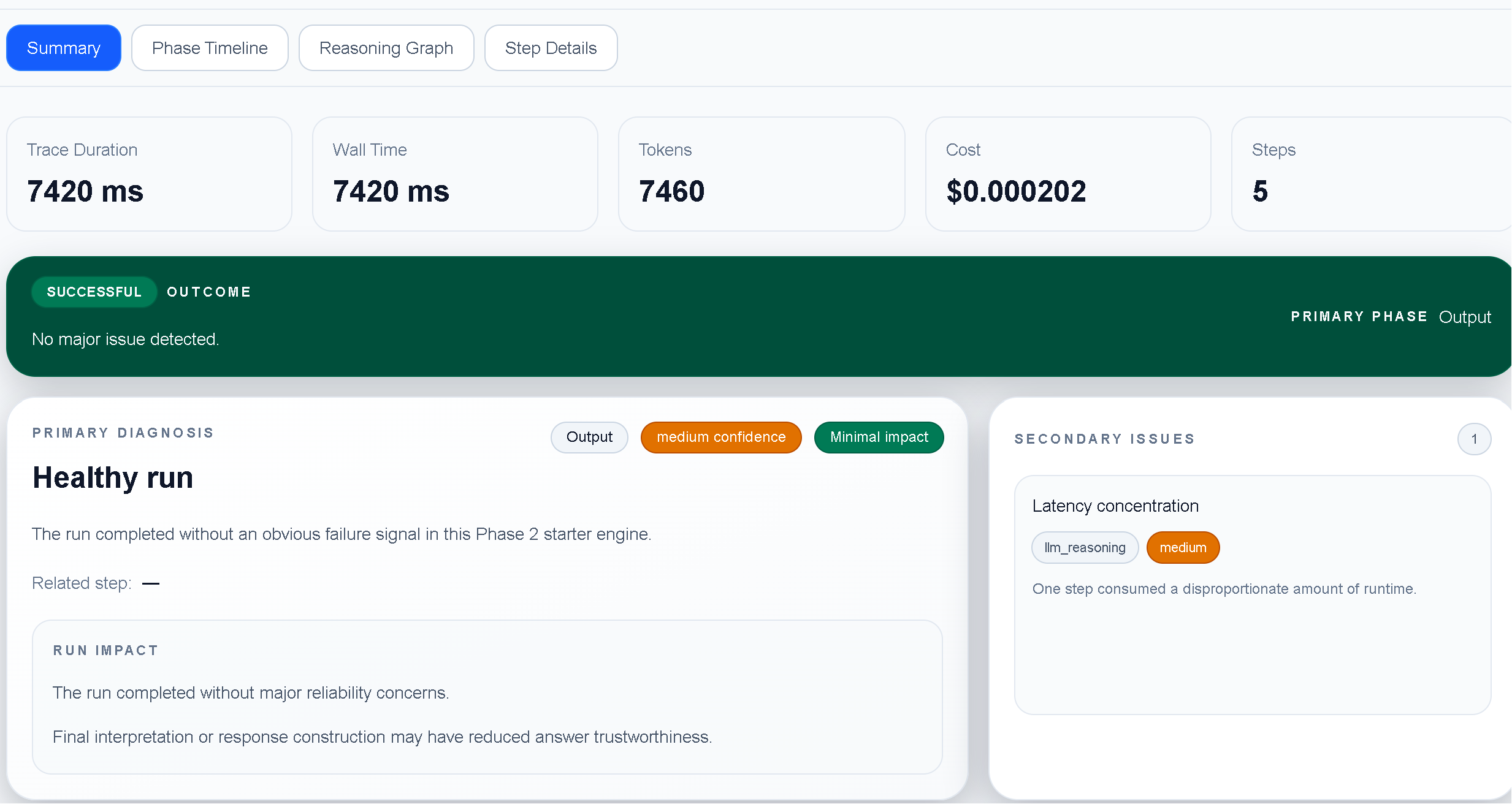
Comparison is especially helpful when a prompt revision, model change, tool response, or orchestration update changes the behavior of an otherwise familiar agent workflow.
Install TraceProbe and explore the built-in comparison workflow.