1. Orient in the summary
Start with outcome, diagnosis, cost, timing, and the highest-impact issues instead of scanning an unstructured log.
TraceProbe turns a noisy agent run into a readable execution story: what happened, where it slowed down, which tool or step failed, and what to investigate next.
When an agent fails, the hardest part is often reconstructing the sequence of events. TraceProbe brings the run summary, timing, reasoning, and tool activity into one focused view for local analysis on Windows.
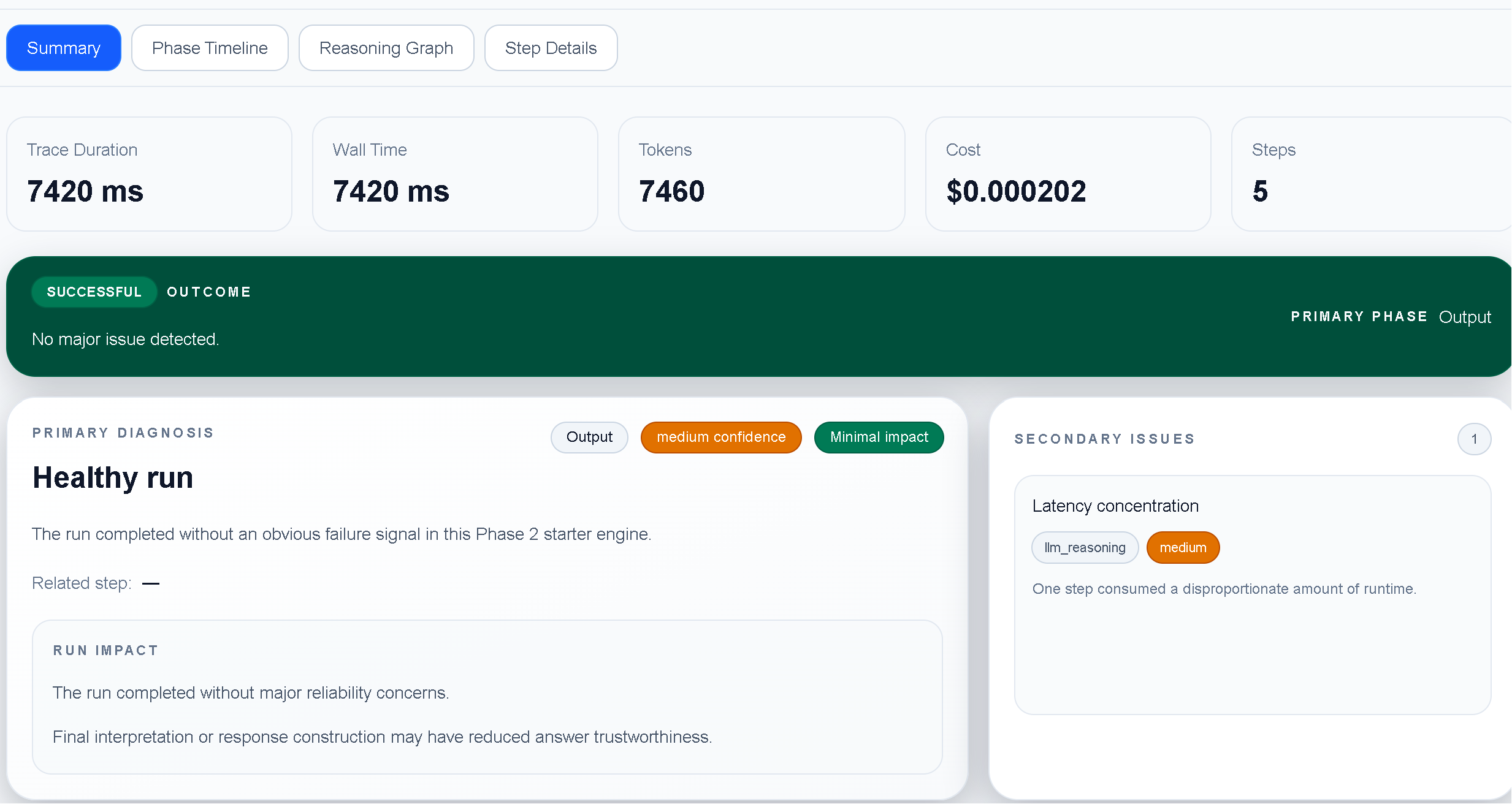
Use the same workflow for a single failed run or a recurring production regression.
Start with outcome, diagnosis, cost, timing, and the highest-impact issues instead of scanning an unstructured log.
Follow the run phase by phase to locate latency spikes, failed tool calls, retries, and unexpected branches.
Use the execution context and recommendations to form a concrete next experiment, then compare the next run.
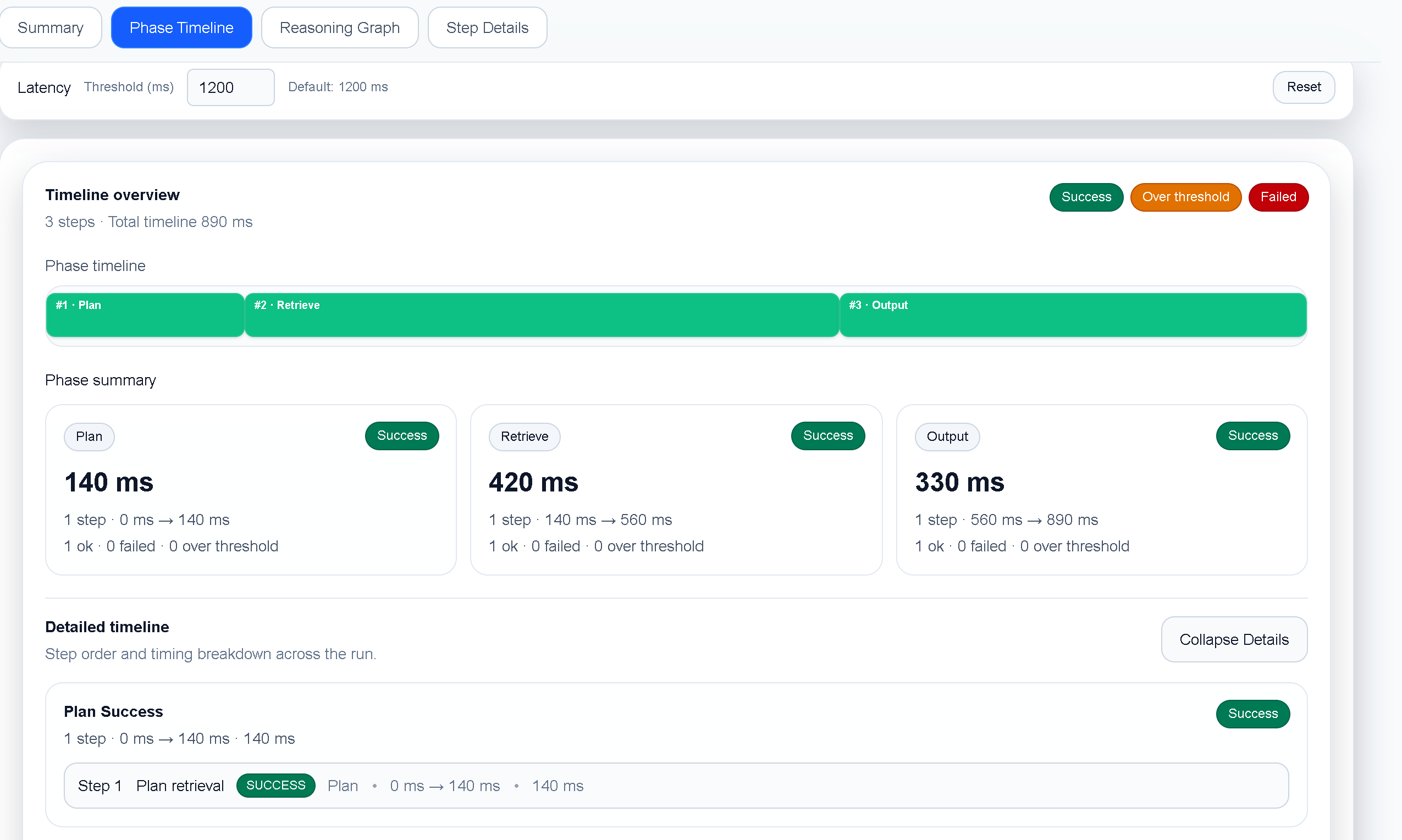
A final response can look plausible even when an agent took a bad path. The timeline helps you see retries, tool latency, incomplete work, and the exact point where behavior changed.
Install TraceProbe, open a sample run, and start the in-app trial.