Where did the run spend time?
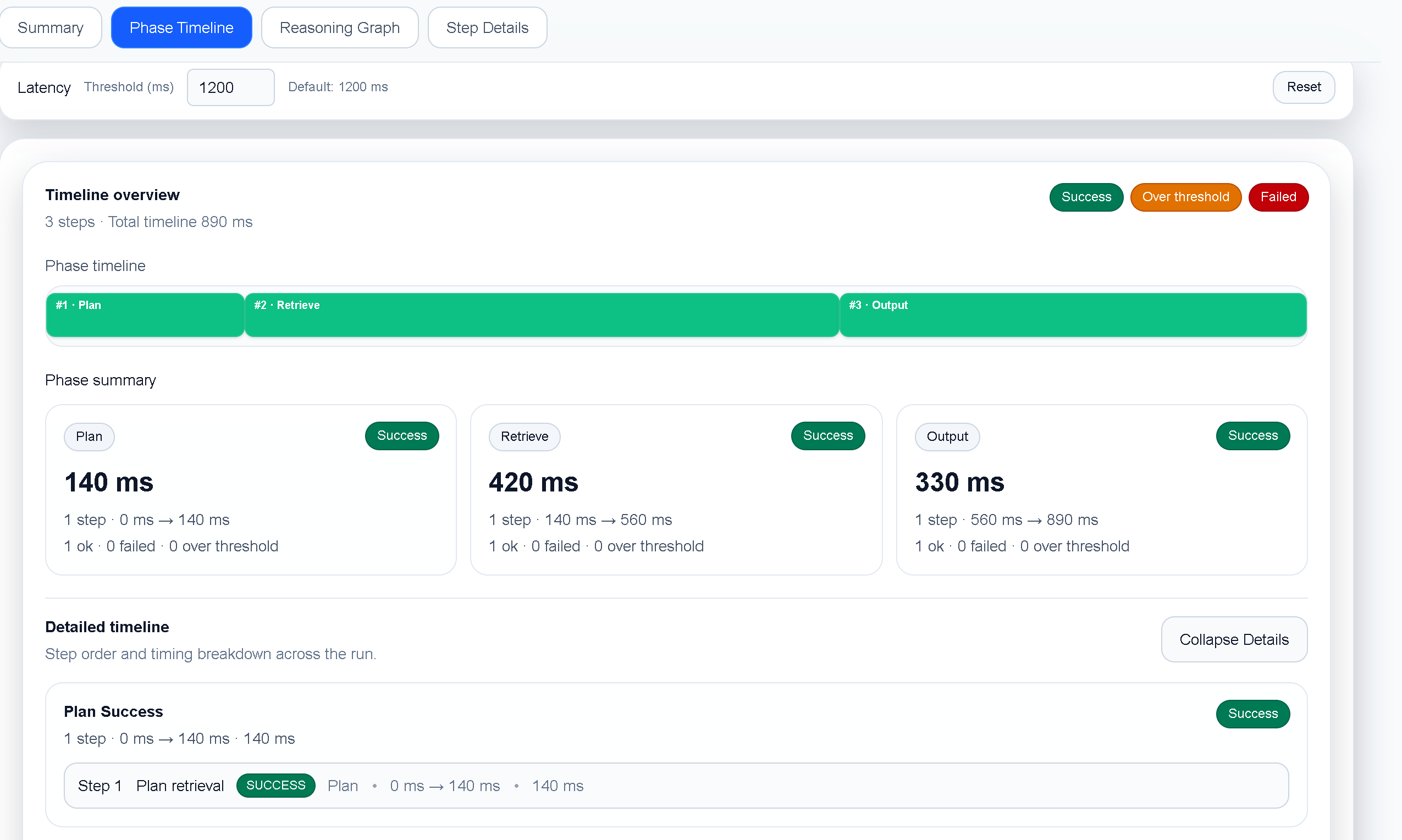
Use the execution timeline to identify slow model calls, tool calls, retries, and waiting periods.
TraceProbe gives developers a focused desktop view of AI agent execution, from high-level reasoning flow to individual tool calls and timing details.
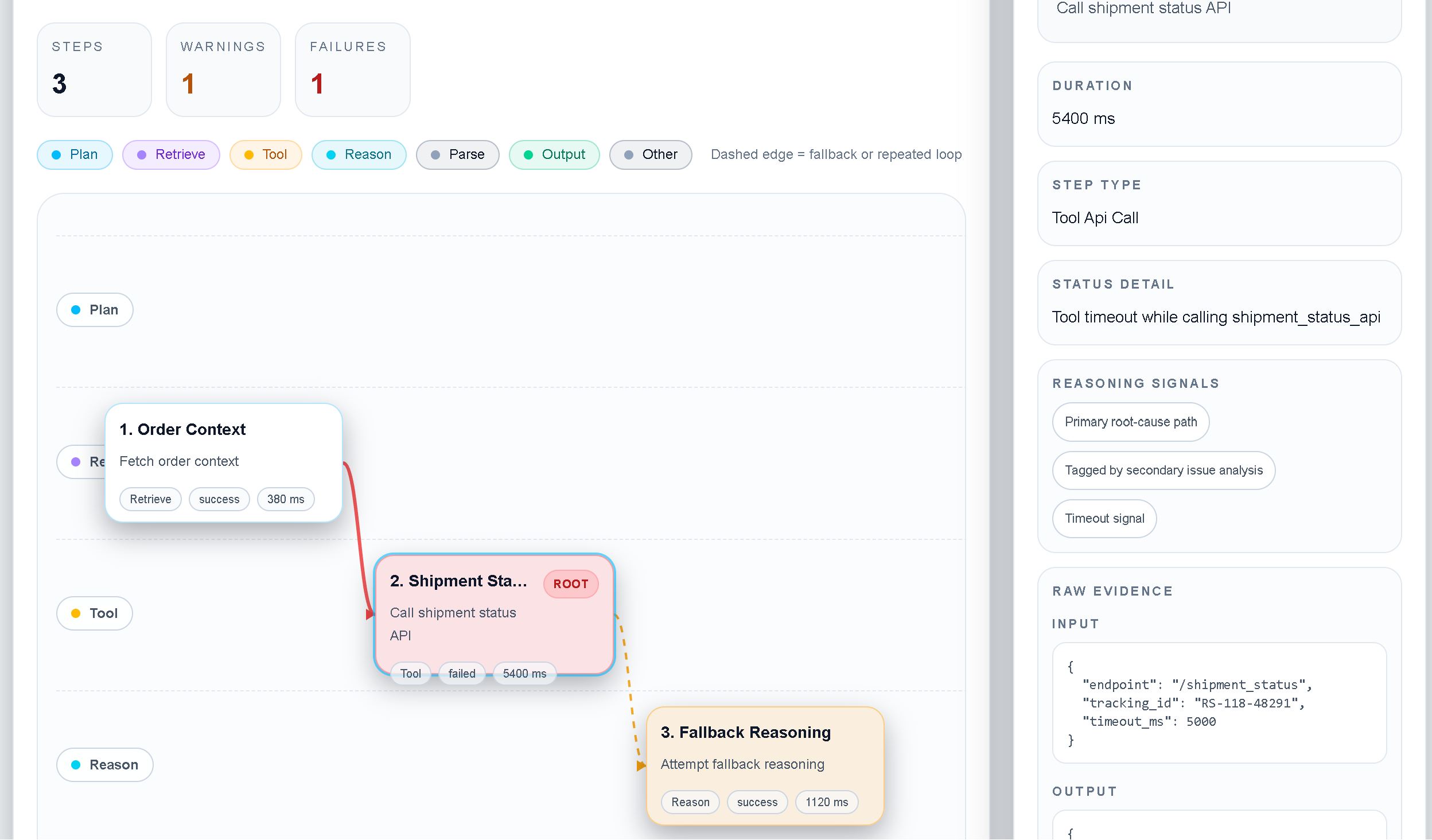
Trace data is valuable when it explains how a run unfolded. Use the reasoning graph to follow decisions, tool activity, branches, and handoffs without losing the context of the original execution.
Use the viewer to answer the questions that matter during an investigation.
Use the execution timeline to identify slow model calls, tool calls, retries, and waiting periods.
Follow the reasoning graph and surrounding events to isolate the branch or tool result that redirected the run.
Turn the observed failure mode into a focused prompt, tool, model, or orchestration experiment.
TraceProbe is designed for developers who need to inspect agent behavior without copying sensitive trace content into a hosted dashboard. Open sample runs, import supported logs, and keep the analysis close to the machine where you work.
Install TraceProbe and start with the built-in sample runs.