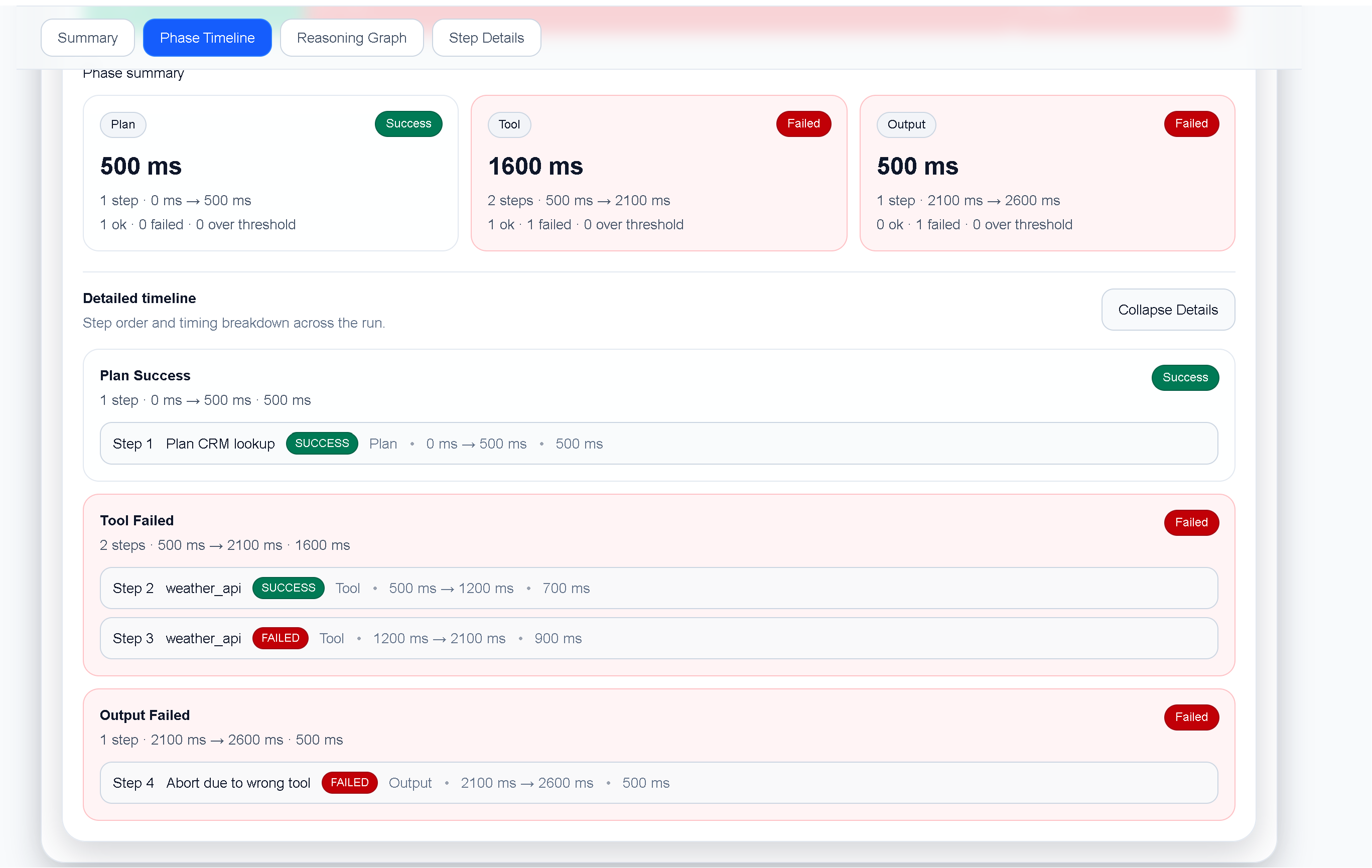
When an AI agent calls the wrong tool, the final error is often less useful than the first incorrect decision. A trace lets you follow the agent from its plan through tool selection, arguments, responses, and the final failure.
This tutorial uses a small TraceProbe run to show a repeatable workflow for LLM and agent developers.
A failed run becomes useful when it can be replayed and asserted deterministically.
The trace contains 4 steps, including 2 failed step(s). The important question is not only “where did the run fail?” but “where did the execution first diverge from the task?”
1. **Choose a representative failed trace and preserve its input, step order, and relevant outputs**.
2. **Mark the first meaningful divergence, such as a wrong tool, poisoned context, or unexpected retry**.
3. **Turn the trace into assertions for tool choice, arguments, timing, and final outcome**.
4. **Run the fixture in CI and compare future traces against the known failure signature**.
TraceProbe keeps the run in one local view so you can inspect the summary, phase timeline, execution details, and reasoning graph without reconstructing the sequence from scattered logs.
TraceProbe timeline view for How to Build Regression Tests for LLM Agents.
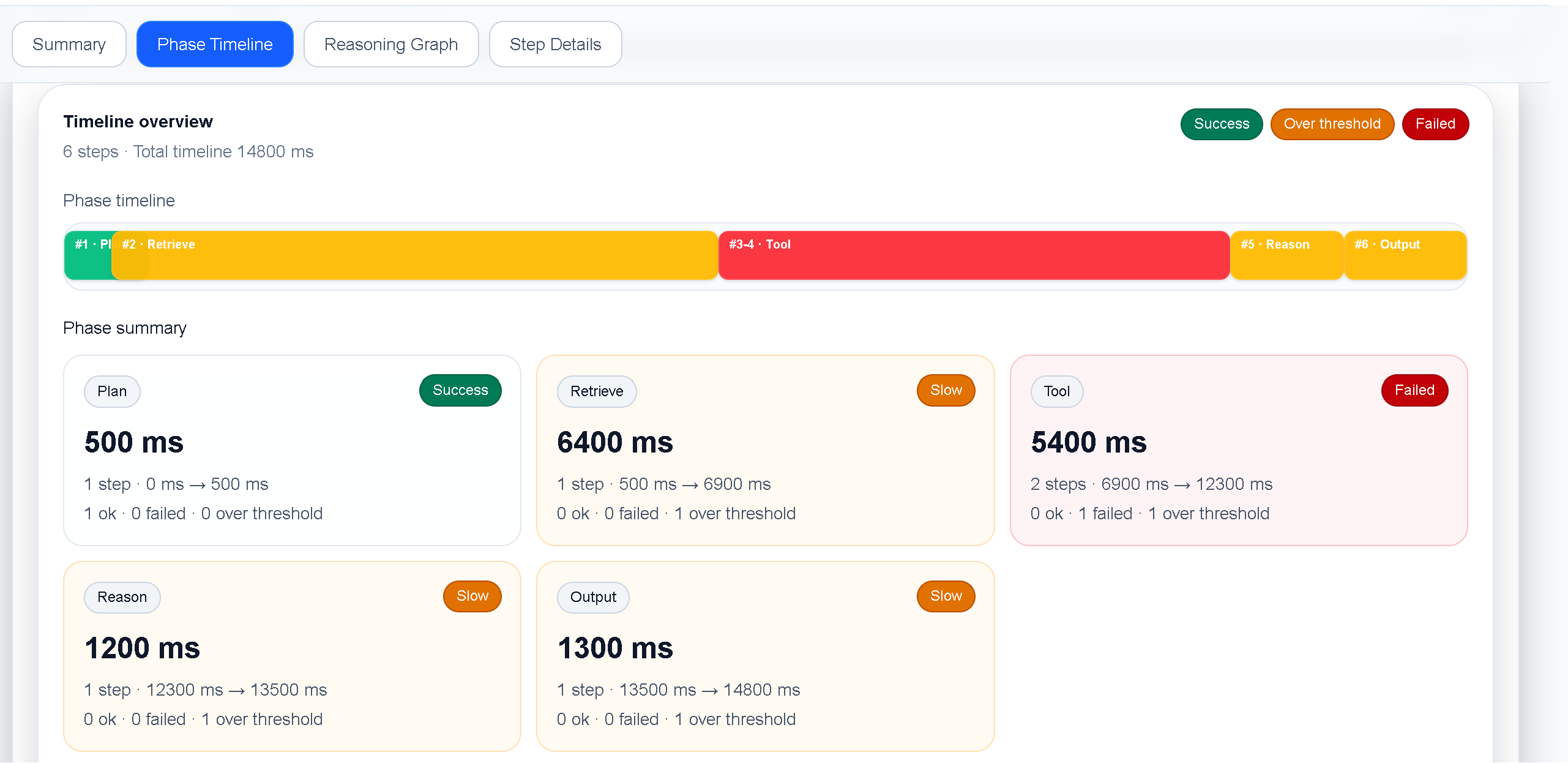
TraceProbe timeline view for How to Build Regression Tests for LLM Agents.
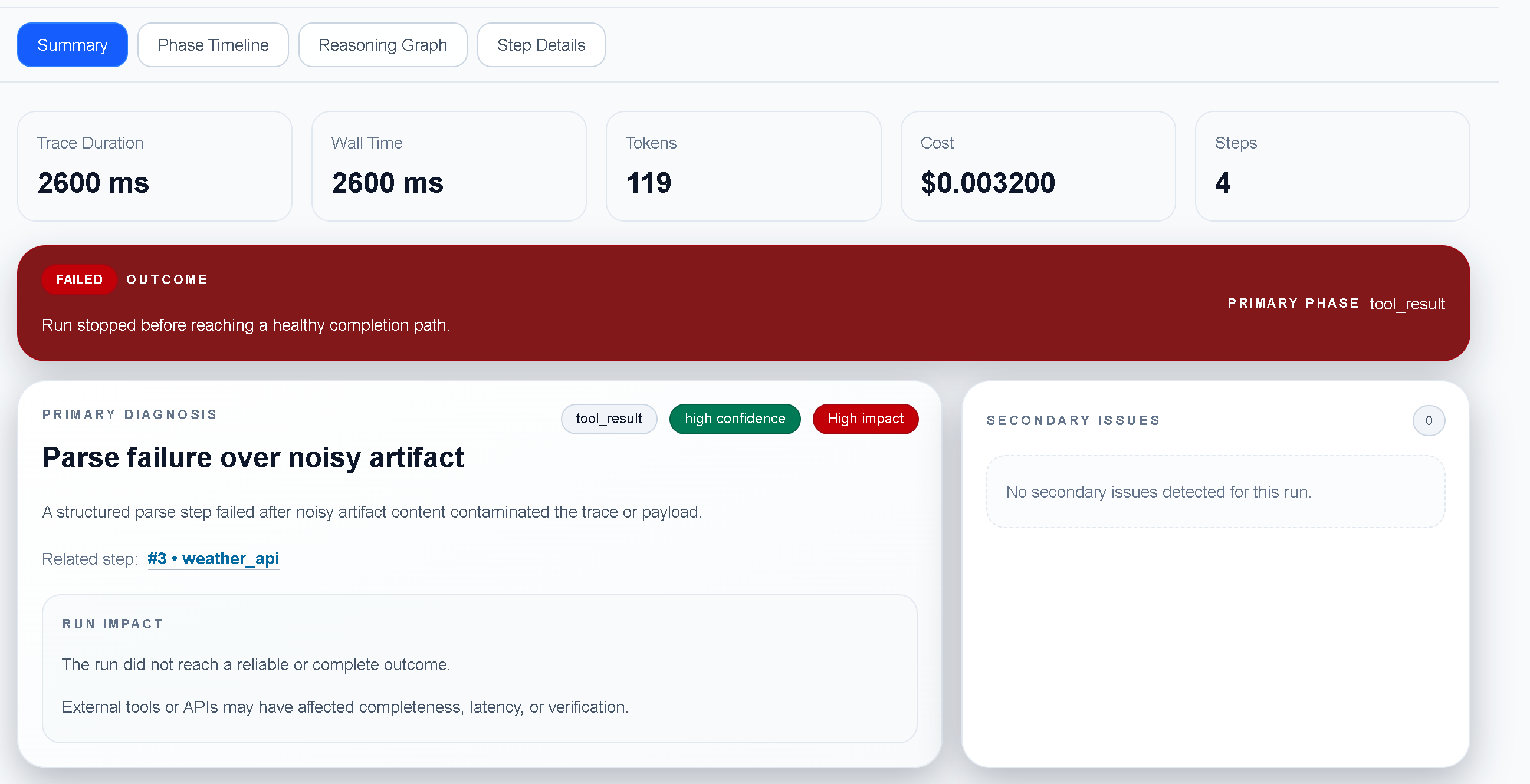
TraceProbe summary view for the failed agent regression fixture.
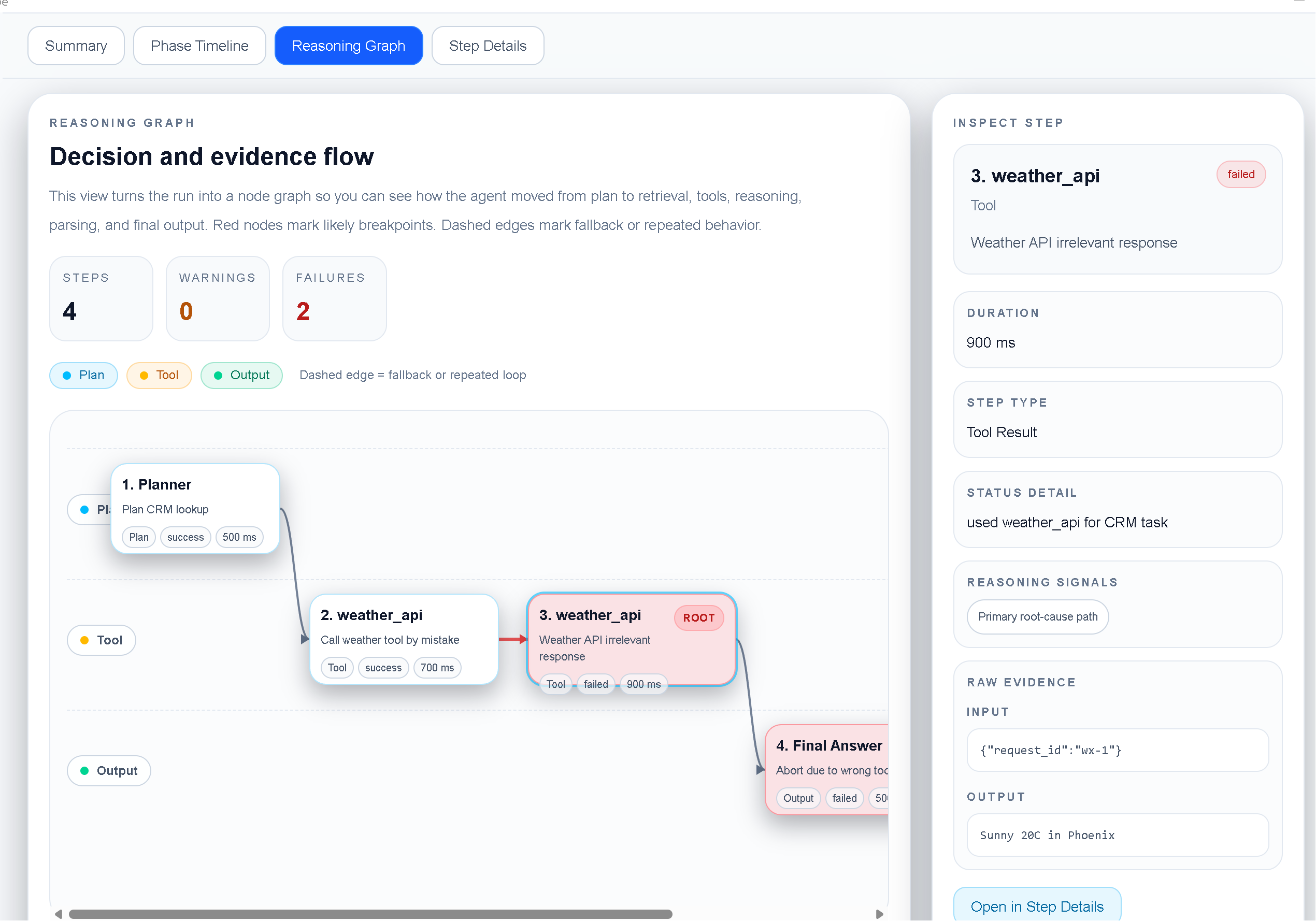
TraceProbe reasoning graph showing the incorrect tool decision.
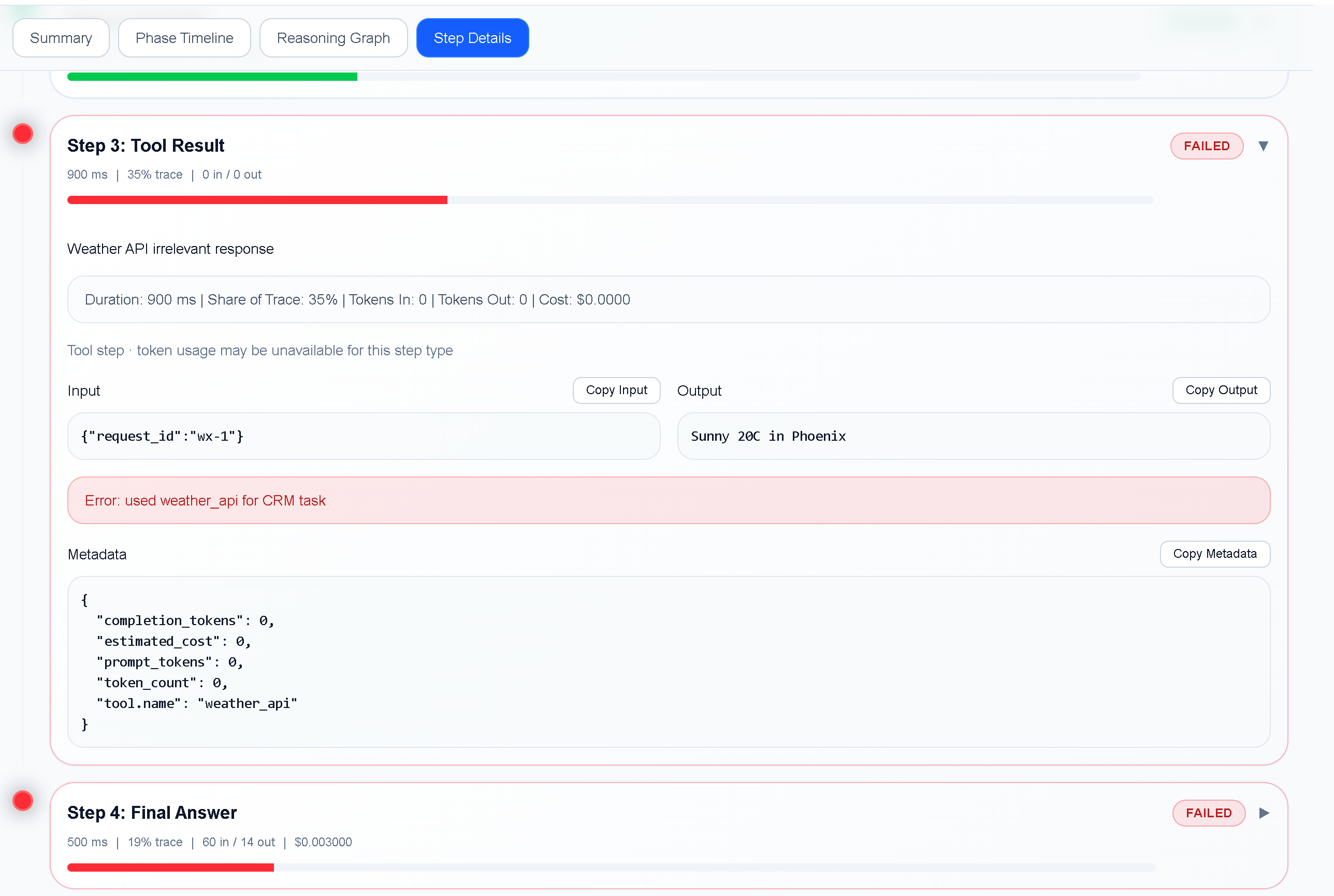
TraceProbe step details showing the failed tool result.
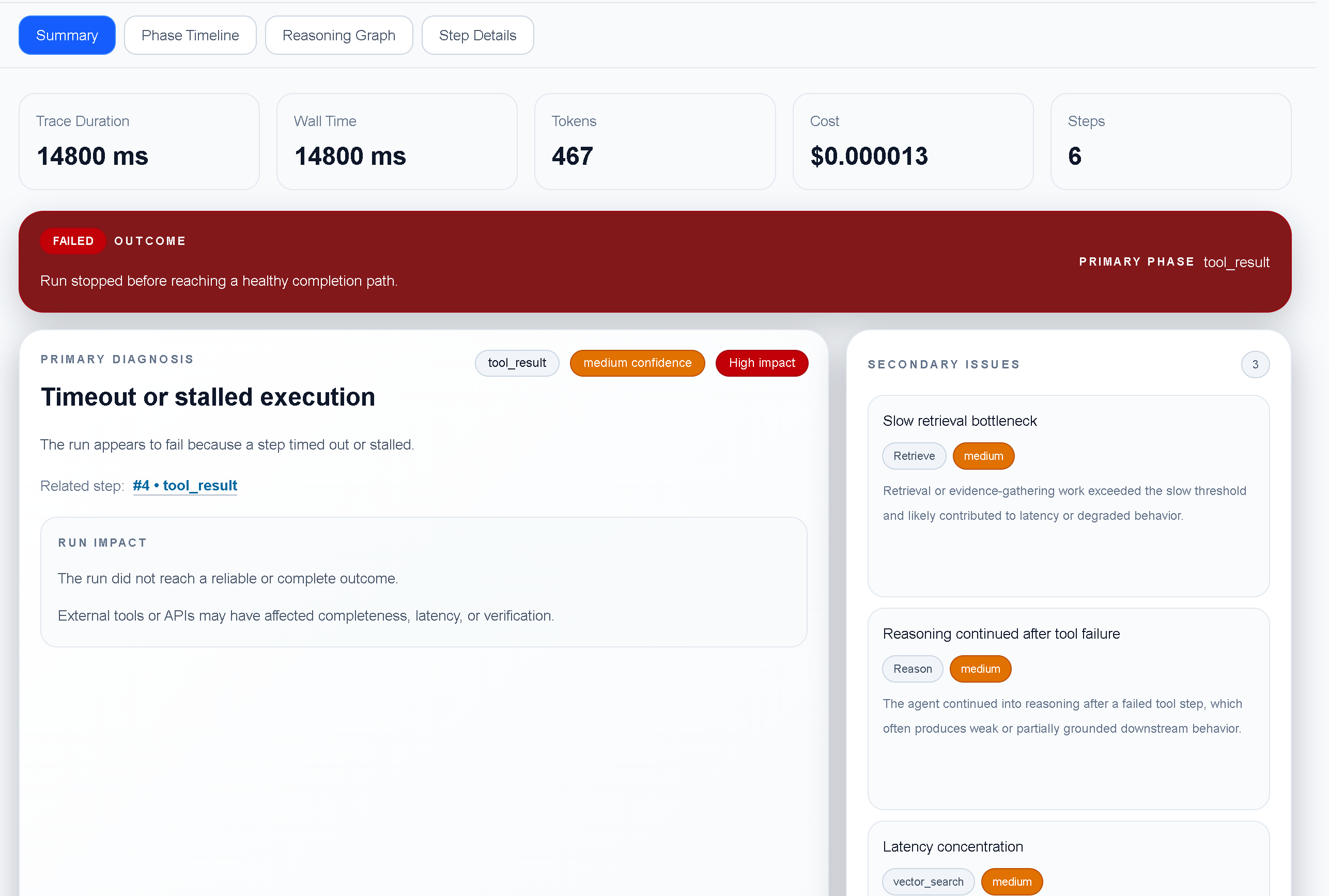
TraceProbe summary view for the failed comparison fixture.
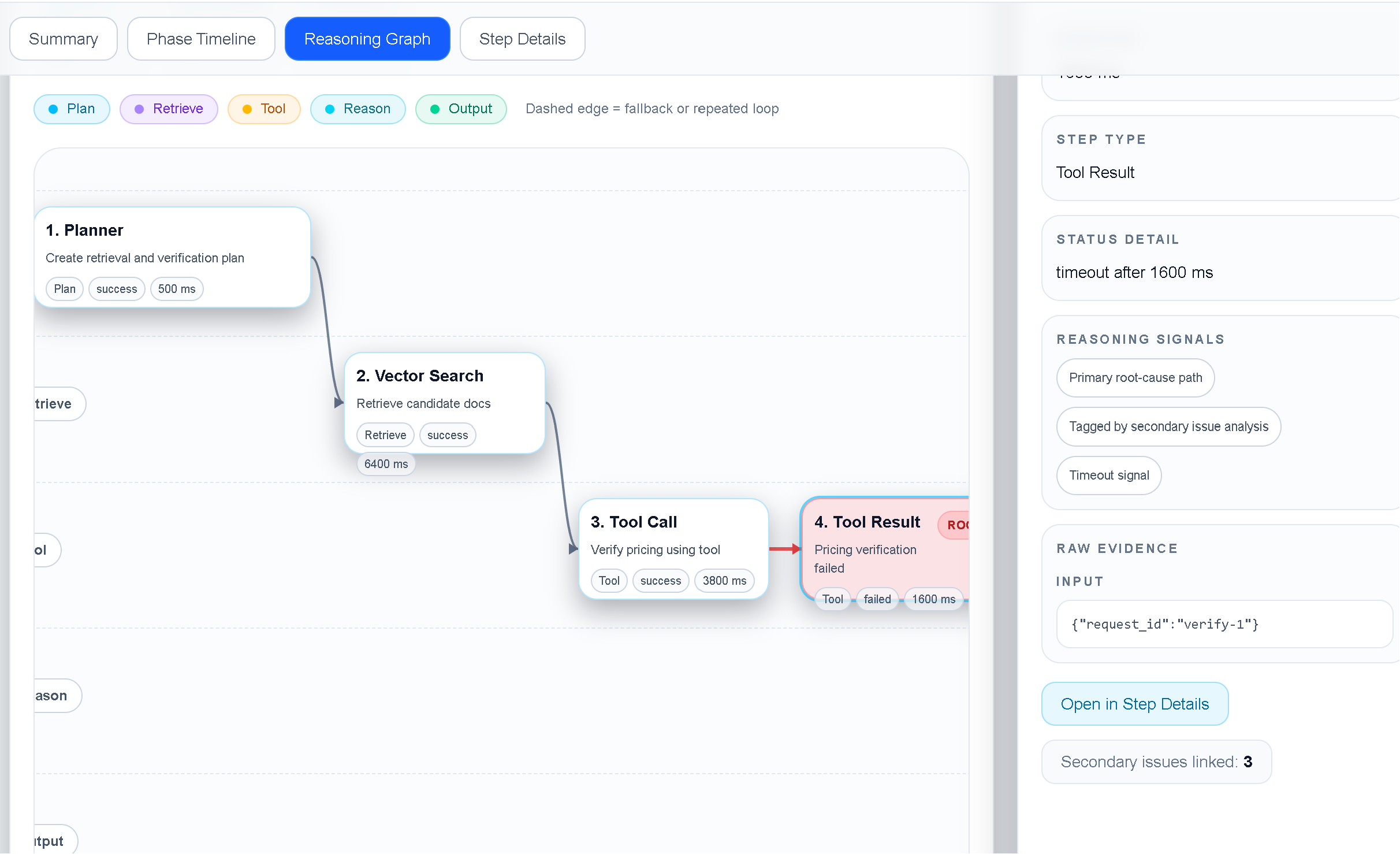
TraceProbe reasoning graph showing the comparison timeout path.
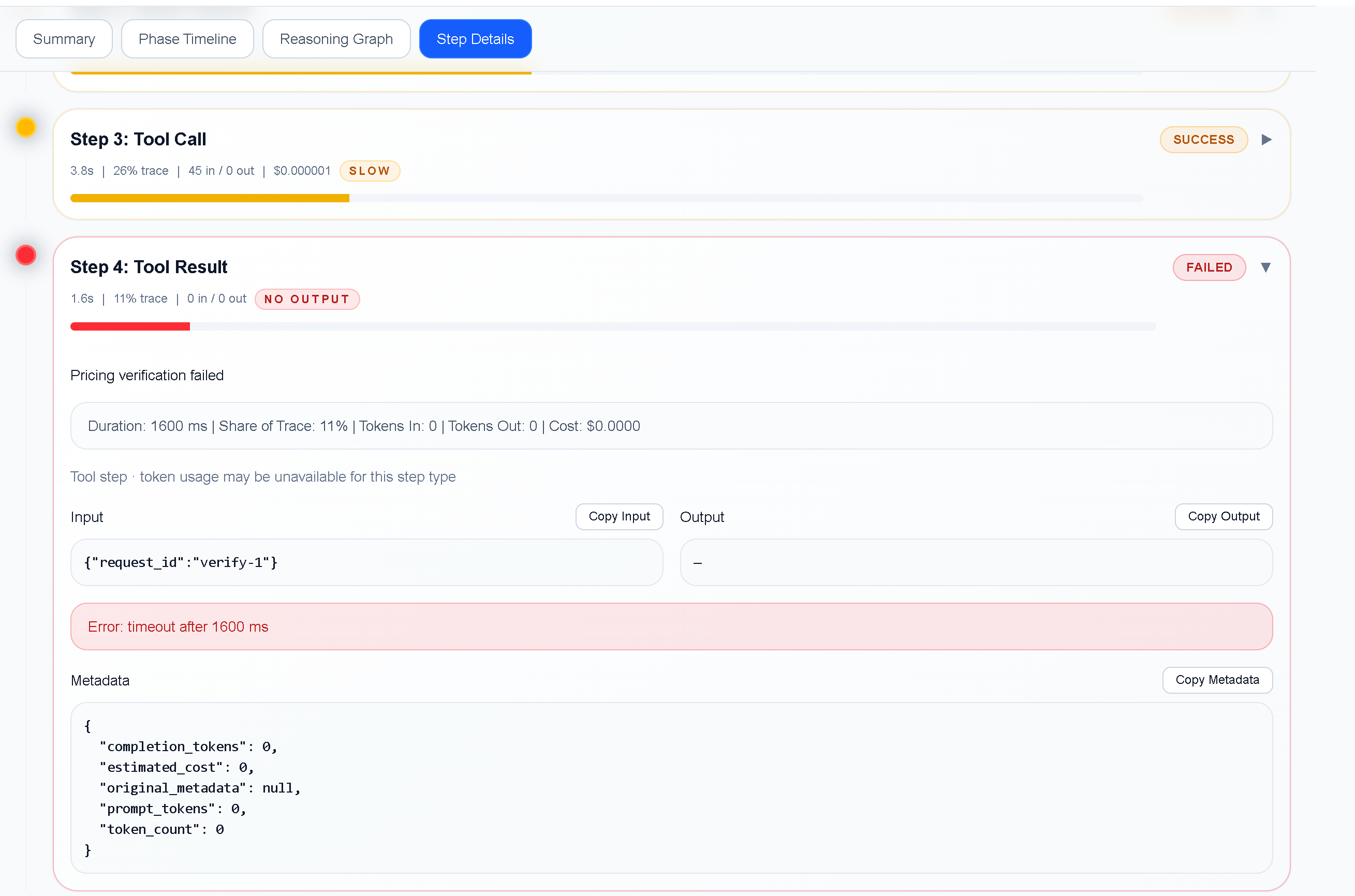
TraceProbe step details showing the timed out tool result.
For this case, useful safeguards include:
Add this case to the regression suite and assert the first divergence, not only the final error.
TraceProbe makes the fixture inspectable by keeping the plan, tool calls, evidence, timing, and outcome together. The resulting trace makes the important decision inspectable and gives the team a concrete case to prevent regressions.
For another practical TraceProbe debugging example, see [How to Debug an AI Agent That Calls the Wrong Tool](/tutorial-debug-ai-agent.html).